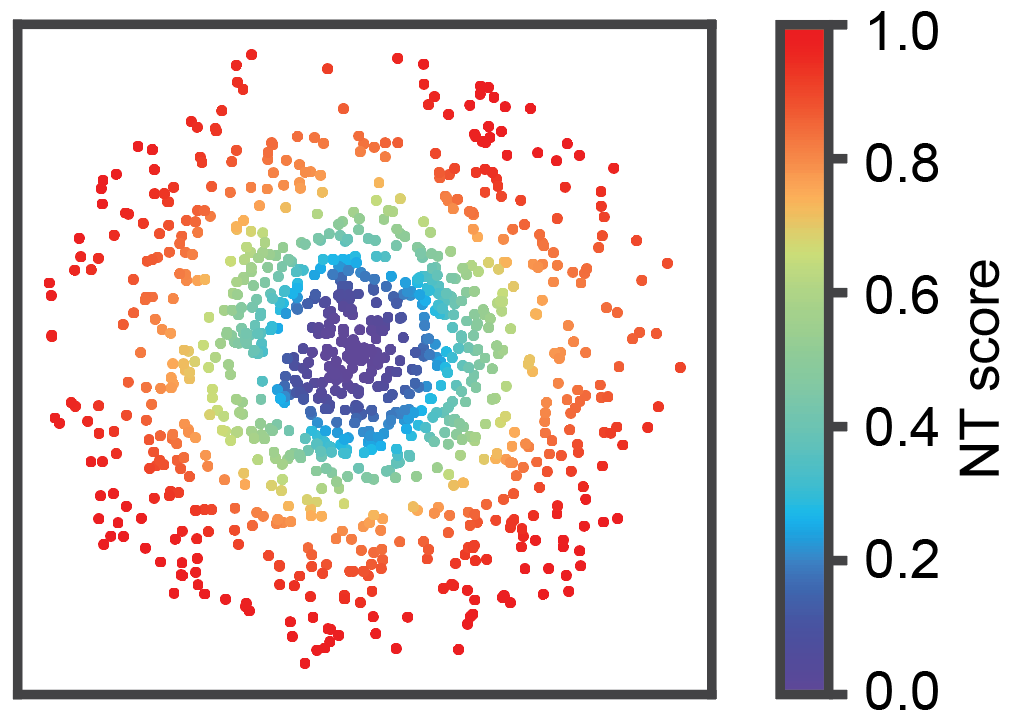
Running ONTraC on simulated dataset
Notes
This notebook will show you the process of running ONTraC on simulation data.
We assume that you have installed ONTraC according to the installation tutorial and open this notebook using installed Python kernel (Python 3.11 (ONTraC)).
Running ONTraC on simulated data
If your default shell is not Bash, please adjust this code.
ONTraC will run on CPU if CUDA is not available.
%%bash

source ~/.bash_profile
conda activate ONTraC
ONTraC --meta-input full_simulation_data_with_noise.csv --NN-dir simulation_NN --GNN-dir simulation_GNN --NT-dir simulation_NT --device cuda --epochs 1000 -s 42 --lr 0.03 --hidden-feats 4 -k 6 --modularity-loss-weight 0.3 --regularization-loss-weight 0.1 --purity-loss-weight 300 --beta 0.03 2>&1 | tee simulation.log
Results visualization
Please see post analysis tutorial for details.
Install required packages
If you default sh is not bash, please adjust this code
%%bash

source ~/.bash_profile
conda activate ONTraC

pip install ONTraC[analysis]
Loading results
from ONTraC.analysis.data import AnaData
from optparse import Values

options = Values()
options.NN_dir = 'simulation_NN'
options.GNN_dir = 'simulation_GNN'
options.NT_dir = 'simulation_NT'
options.log = 'simulation.log'
options.reverse = True  # Set it to False if you don't want reverse NT score
options.output = None  # We save the output figure by our self here
ana_data = AnaData(options)
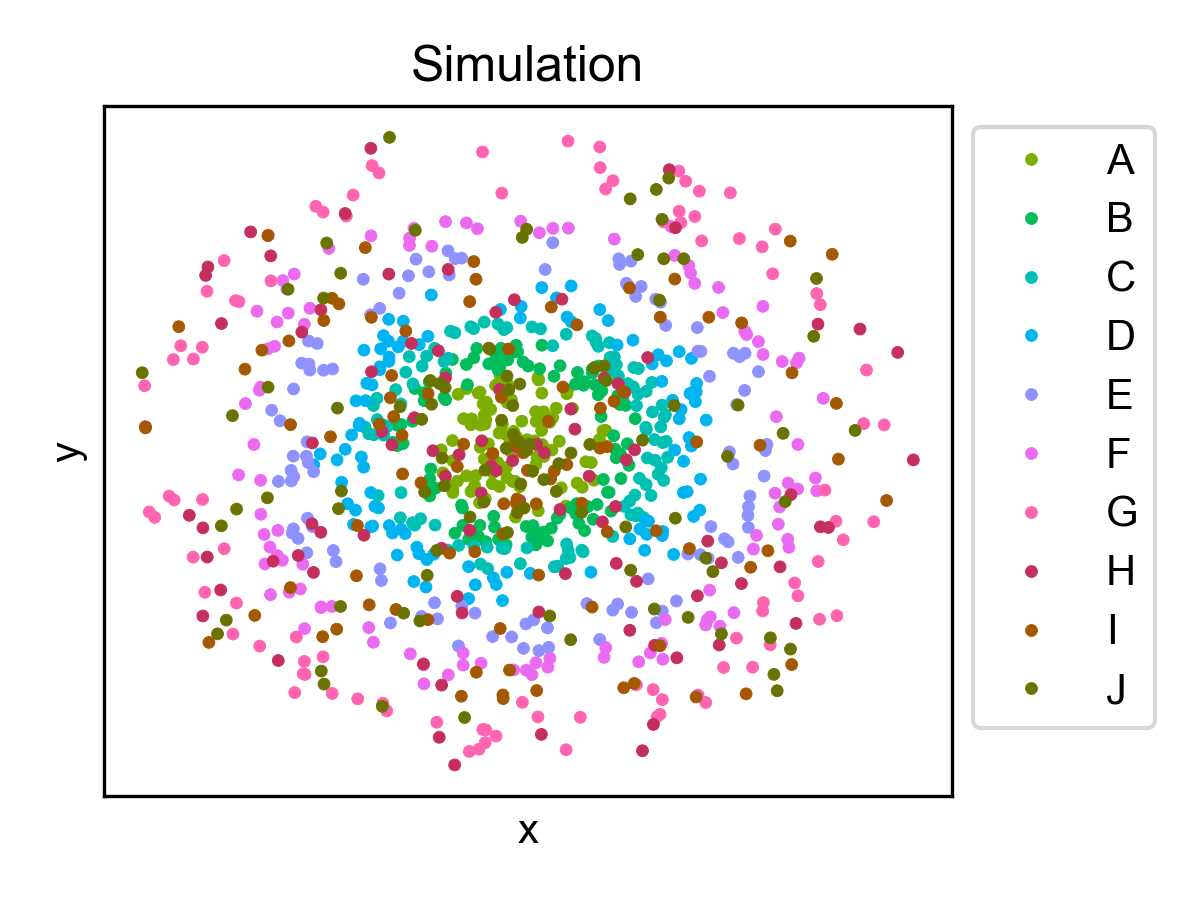
Spatial cell type distribution
from ONTraC.analysis.cell_type import plot_spatial_cell_type_distribution_dataset_from_anadata


cell_type_pal = {'A': '#7CAE00',
                 'B': '#00BC5A',
                 'C': '#00C0B3',
                 'D': '#00B4F0',
                 'E': '#8E92FF',
                 'F': '#EA6AF1',
                 'G': '#FF64B0',
                 'H': '#C42F5D',
                 'I': '#A45900',
                 'J': '#6A7300'}


fig, axes = plot_spatial_cell_type_distribution_dataset_from_anadata(ana_data = ana_data,
                palette=cell_type_pal)
fig.savefig('figures/Spatial_cell_type.png', dpi=150)
Cell-level NT score spatial distribution
from ONTraC.analysis.spatial import plot_cell_NT_score_dataset_from_anadata

fig, ax = plot_cell_NT_score_dataset_from_anadata(ana_data=ana_data)
fig.savefig('cell_level_NT_score.png', dpi=300)